Install VueJs In Laravel
VueJs is the most used framework with Laravel. The reason is its simplicity, lightweight, and ease of integration with Laravel. So here you will learn how to install it with Laravel and use It.
Follow the given steps to quickly start vue with Laravel.
STEP 1: Create Laravel app
laravel new laravel-vue
STEP 2: Go to the project directory
cd laravel-vueSTEP 3: Install Laravel UI package
composer require laravel/uiSTEP 4: Install bootstrap (Optional)
php artisan ui bootstrap OR
php artisan ui bootstrap --auth
STEP 5: run the npm install command
npm installSTEP 6: Now install vue in your project
npm install vue@next vue-loader@next
STEP 7: Install viteJs plugin
npm i @vitejs/plugin-vue
STEP 8: Update vite.config.js file
import { defineConfig } from 'vite';import laravel from 'laravel-vite-plugin';import vue from '@vitejs/plugin-vue'export default defineConfig({plugins: [vue(),laravel({input: ['resources/css/app.css', 'resources/js/app.js'],refresh: true,}),],});
STEP 9: Write code in app.js file
go to the resources/js directory and create app.js file and write given below code.
import './bootstrap';import {createApp} from 'vue';import App from './components/app.vue';const app=createApp(App);app.mount('#app');
now create App.vue component in the resources/js/components directory and here you can write your vue logics.
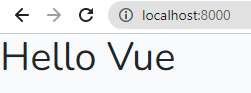
<template><div><h1>Hello Vue</h1></div></template>
STEP 10: Set Laravel blade files
Now set Laravel blade templates for rendering vue code.
change recourses/views/welcome.blade.php code
<!DOCTYPE html><html lang="en"><head><meta charset="UTF-8"><meta http-equiv="X-UA-Compatible" content="IE=edge"><meta name="viewport" content="width=device-width, initial-scale=1.0"><title>Laravel - Vue</title>@vite(['resources/sass/app.scss', 'resources/js/app.js'])</head><body><div id="app"></div></body></html>
STEP 11: Create Laravel app
now go to your terminal and serve your app.
one terminal for serve laravel app and one terminal for serve vue app
php artisan serve
npm run dev